The system
ePOS
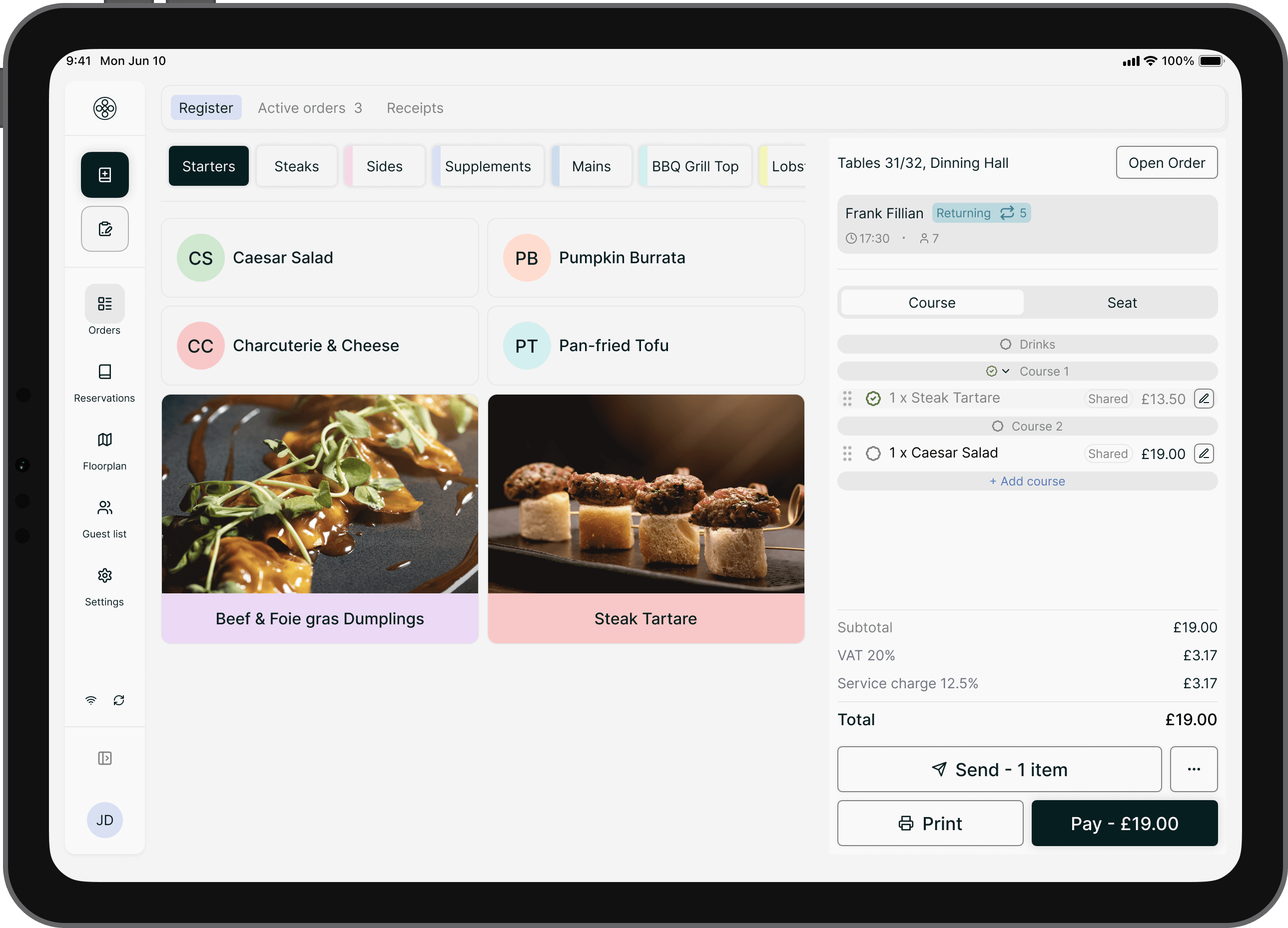
Take every order on the same record as the booking and the bill — so coursing, splitting, and offline service all run without a till that stands apart.
What it covers
Everything the order touches.
Orders, reservations, and payments run in one application — not three apps wired together. You take the order, pull up the booking, and charge the card on the same screen and the same record.
Part of one system
An order that doesn’t stop at the till.
The order is the booking already seated and the payment about to happen — one record, no exports, no reconciliation.
Hardware
The hardware it runs on.
The front-of-house app runs on iPad and iPhone, with a back-office website for settings and setup in any browser. For the hardware — printers, cash drawers, and card terminals — we work with trusted brands, and you can buy every part, including paper, from the Inservo shop.
Receipt printers
Kitchen printers
Cash drawer
Card terminals
Every device — plus receipt and kitchen paper — is available from the Inservo shop.
Visit the shopAn order is a promise to the kitchen and a line on the bill. The system keeps both on the one record.
Questions
ePOS, answered.
Is the ePOS a separate system from reservations?
No. It’s one application — the same one you run reservations and the floor on. The order screen reads from the booking you already took and writes straight to the payment, so there’s nothing to sync between a till and a separate booking tool. Orders, reservations, and payments all sit on one record.
What devices does Inservo run on?
Two parts, one system. Settings and setup live in a back-office website you run from any browser. Service runs in the front-of-house app — an iOS application for iPad and iPhone — where you manage reservations, orders, and payments. Both read and write the same record.
How are card payments taken?
On the same record as the order, either way. Take a card on a Stripe payment terminal, or tap to pay straight on an iPhone with contactless — there’s no separate card machine to reconcile against the bill.
Does it keep working if the connection drops?
Yes. Offline service keeps orders and payments running locally during an outage, and everything reconciles to one record once the connection returns.
Can a bill be split or merged at the table?
Yes. Split a bill by guest, by item, or by share, and merge separate tables onto one bill — each payment is captured on the same record as the order.
Further reading
Further reading
Published guides from Inservo on the same subject.
Human service or self-service? UK diners want both — here's the split
68% of UK diners prefer human interaction, but nearly half of under-35s prefer self-service. Why hybrid service models are winning.
OperationsLocation-based pricing: why the same cappuccino costs £3.80, £3.90 and £4.05
Multi-site operators are pricing by location and channel. What January 2025 Pret pricing reveals, and how smaller groups can apply it.
Operations73% of diners are happy to book with AI. Only 24% of restaurants let them
73% of consumers are happy to book with AI, yet only 24% of restaurants use it — adopters report 33% efficiency gains (industry research, 2025).
See the order on one record.
We’ll walk you through it, from the booking to the payout, on one of your real services.